Video to Text
Generic hub for picking the right transcript or converter workflow.
Start here when you need video-to-text output but have not narrowed the source yet. This page routes you to the right child page for links, uploads, MP4 files, social videos, meetings, and podcasts.
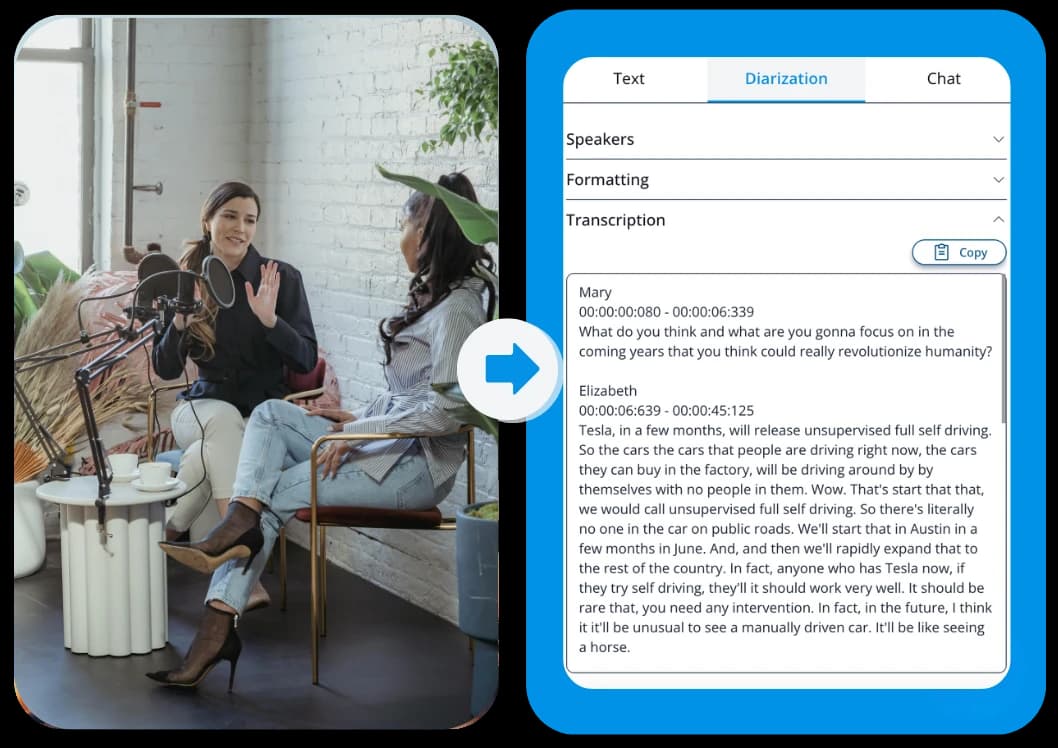
See what the output looks like
This page is the hub. It should send you to the best child page instead of competing with all of them.
Choose between a video link or an uploaded file depending on the source
Start with the source you already have, then keep the text in the format that fits your next step.
Choose the output that fits the workflow
TXT transcript
Best for general editing, notes, and searchable text.
SRT subtitles
Best for editors who need timeline-based subtitles.
VTT captions
Best for web video players and caption-ready publishing.
Popular video-to-text child pages
Use a child page when the source format or intent is already clear.
Three quick steps, one clear outcome
Start with the source, generate the text, then keep the format that fits the next workflow.
Choose the source type
Start with link or upload depending on whether your source is online or local.
Open the right workflow
Pick the child page that matches transcript, converter, MP4, or social-video intent.
Export the transcript
Take the result into text or captions once the source is processed.
Who this video-to-text hub is for
Use the hub when you know you need text from video but need a better route into the right child workflow.
Link-based videos
For YouTube, TikTok, Instagram, and other URL-first sources.
Uploads
For local MP4, MOV, WebM, and audio files.
Social videos
For short-form creator content that starts from a pasted link.
Meetings
For calls, recordings, and collaboration archives.
Podcasts
For long-form spoken content that needs searchable text.
Use the generic hub when the source is still broad
Each section explains a concrete use case so the page stays practical from top to bottom.
This page should not try to outrank every source-specific child page. Its job is to help a visitor choose the right video-to-text workflow quickly.
Move to child pages once the intent is specific
Each section explains a concrete use case so the page stays practical from top to bottom.
If the source is MP4, the child page should own that query. If the intent is transcript generator or converter, the dedicated child page should own that query.
Frequently Asked Questions
Related pages in this cluster
Use the hub, sibling pages, export page, or guide link that best matches the next query or next workflow step.
All tools
Browse the full tool library when you need a source-specific child page.
MP4 to Text
Use the MP4-specific text workflow for local files.
Three nearby intent pages
How to transcribe video with ChatGPT
Use this guide when you need the transcript first and want ChatGPT for the second step.