Video Transcript Generator
Turn spoken video into a readable transcript.
VideoToTextAI extracts the spoken words from your video and returns them as clean transcript text. Upload a video file or paste a public video link, then copy, review, save, or export the transcript for your workflow.
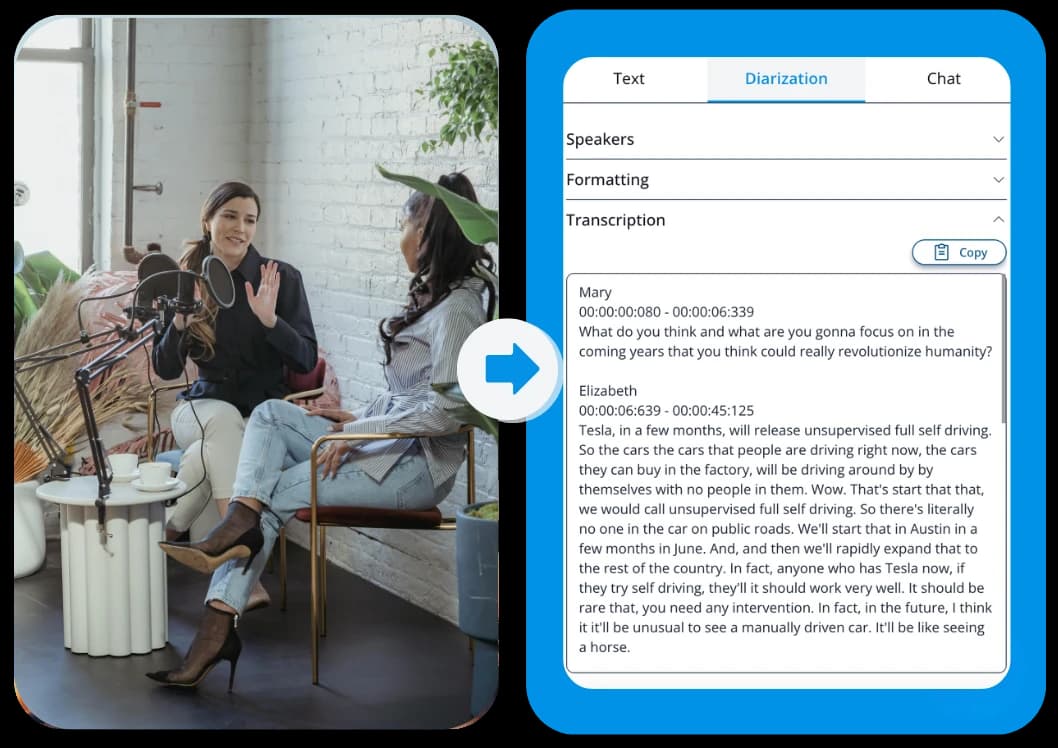
See what the output looks like
Example text shown for format only. Your transcript depends on the spoken words in your video.
https://example.com/video
Start with the source you already have, then keep the text in the format that fits your next step.
Choose the output that fits the workflow
Copy text
Copy the transcript directly into notes, documents, captions, briefs, or research files.
TXT
Export a plain text version of the transcript for simple storage, sharing, and review.
Document
Save the transcript as an editable document for cleanup, collaboration, and team workflows.
Three quick steps, one clear outcome
Start with the source, generate the text, then keep the format that fits the next workflow.
Add your video
Upload a video file or paste a public video link you want to transcribe.
Generate the transcript
VideoToTextAI extracts the spoken words and turns them into readable transcript text.
Copy, review, or export
Use the transcript for captions, notes, documentation, quotes, research, or a searchable written record.
Generate a transcript from video
Each section explains a concrete use case so the page stays practical from top to bottom.
Video content is easy to watch once and hard to work with afterward. A clear transcript turns the spoken words into text you can scan, copy, review, and keep.
VideoToTextAI gives you a practical way to generate transcript from video without turning the job into a manual typing task. Add your video, generate the transcript, and move the text into the tools you already use.
Turn spoken video into readable transcript text
Work from uploaded videos or public video links
Review the content without replaying the video repeatedly
Make video content easier to review and reuse
Each section explains a concrete use case so the page stays practical from top to bottom.
A video transcript makes recorded content easier to understand, search, and share. Instead of scrubbing through a timeline to find one sentence, you can work from a written version of what was said.
Creators, marketers, researchers, operators, students, and teams can use transcripts from demos, tutorials, interviews, lectures, meetings, podcasts, and recorded explanations as a cleaner source for follow-up work.
Pull quotes, sections, ideas, and talking points
Review meetings, lessons, demos, and interviews faster
Save a written record of important spoken content
Useful for captions, notes, and documentation
Each section explains a concrete use case so the page stays practical from top to bottom.
Once your video is in transcript form, it becomes easier to prepare captions, build notes, capture action items, or document what happened in a recording.
The main output stays focused: a readable transcript. From there, you can decide whether to clean it up, quote it, share it with a team, or save it as part of a project archive.
Prepare caption or subtitle text from spoken content
Turn recordings into notes and documentation
Keep searchable text from important videos
A simple workflow from video to transcript
Each section explains a concrete use case so the page stays practical from top to bottom.
A good transcript generator should make the result easy to get and easy to use. VideoToTextAI keeps the process direct: add the video, generate the transcript, then copy or export the text.
Whether you need a video transcript for one recording or a repeatable workflow for ongoing content, the goal is the same: get the spoken words into a readable format and keep your work moving.
Upload a video or paste a public video link
Copy transcript text into your workspace
Export the transcript for review, sharing, or storage
Frequently Asked Questions
Related pages in this cluster
Use the hub, sibling pages, export page, or guide link that best matches the next query or next workflow step.
Video to Text
Return to the generic hub to choose the right source-specific workflow.
MP4 to Transcript
Use the MP4 format page when the source file is known up front.
Three nearby intent pages
How to transcribe video with ChatGPT
Use this guide when you need the transcript first and want ChatGPT for the second step.