Video to Text Converter
Turn spoken video into clean, usable text.
VideoToTextAI converts spoken video into readable text from an uploaded file or public video URL. Use it to review content, pull quotes, prepare captions, create notes, or keep a written version of important video material.
Free to try. Upload a video or paste a public video URL to start.
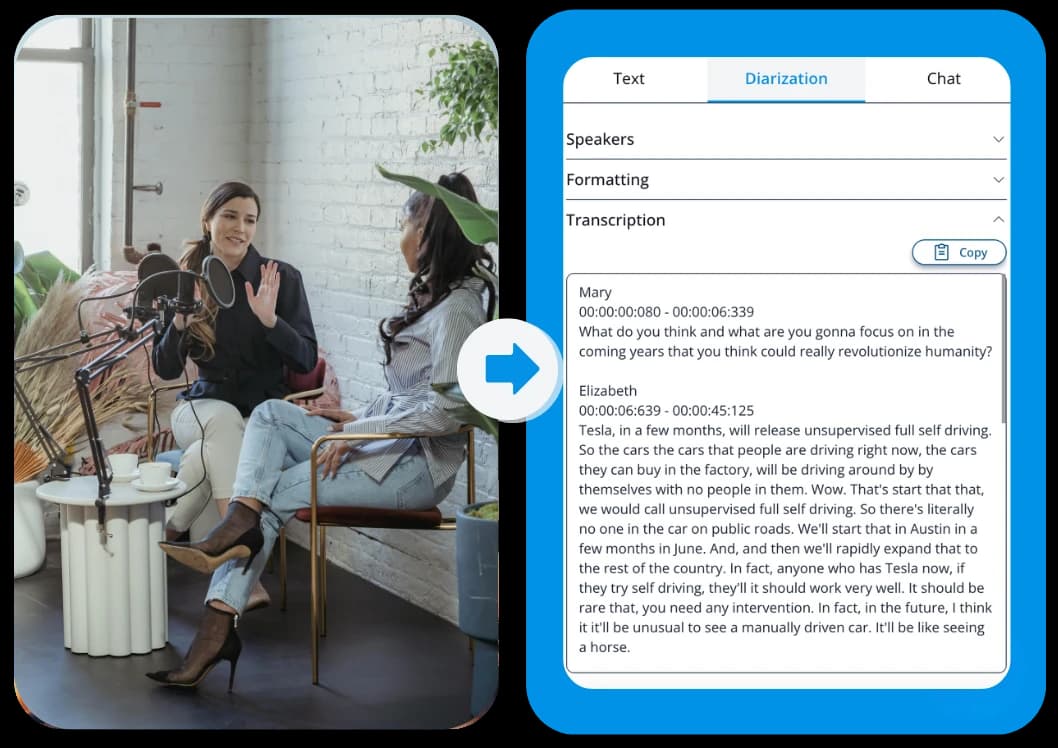
See what the output looks like
Example text shown for format only. Your output depends on the spoken words in your video.
https://example.com/video
Start with the source you already have, then keep the text in the format that fits your next step.
Choose the output that fits the workflow
Copy text
Copy the converted text directly into notes, documents, captions, briefs, or research files.
TXT
Export a plain text file for simple storage, sharing, and review.
Document
Save the text as an editable document for cleanup, collaboration, and team workflows.
Three quick steps, one clear outcome
Start with the source, generate the text, then keep the format that fits the next workflow.
Add your video
Upload a video file or paste a public video URL you want to convert.
Convert the speech to text
VideoToTextAI extracts the spoken words and turns them into clean, readable text.
Copy, review, or export
Use the text for captions, notes, quotes, documentation, research, or a written record of the video.
Convert video into readable text
Each section explains a concrete use case so the page stays practical from top to bottom.
Video is useful, but spoken content is hard to scan, search, and reuse while it stays locked inside a recording. VideoToTextAI turns speech from video into clean text you can work with right away.
Use it as a practical video to text workflow for recordings, tutorials, interviews, meetings, lessons, demos, public video URLs, and other spoken video content that needs to become readable.
Convert spoken video into clean text
Work from video uploads or public video URLs
Review content without replaying the same sections repeatedly
Make video content easier to use
Each section explains a concrete use case so the page stays practical from top to bottom.
Once a video becomes text, the useful parts are easier to find. You can scan the wording, pull important sections, capture talking points, and keep a written version for later.
Creators, marketers, researchers, students, operators, and teams use ai video to text workflows when they need the content inside a video to become something they can copy, edit, share, or reference.
Pull quotes, sections, ideas, and talking points
Save written versions of spoken video content
Turn recordings into material your team can actually review
Useful for captions, notes, documentation, and quotes
Each section explains a concrete use case so the page stays practical from top to bottom.
Converted video text gives you a practical starting point for captions, subtitles, notes, documentation, research files, and review docs. It helps you move from watching to working.
The core output stays simple: readable text from the spoken words in your video. From there, you can clean it up, quote it, organize it, or save it inside your existing workflow.
Prepare caption or subtitle text from spoken content
Create notes and documentation from recordings
Keep searchable text for future reference
A faster workflow from video or URL to text
Each section explains a concrete use case so the page stays practical from top to bottom.
A good free video to text converter should make the result easy to get and easy to use. VideoToTextAI keeps the flow direct: add your video, convert it to text, then copy or export the output.
Whether you are working with a local recording or need url video to text conversion from a public link, the goal is the same: get clean text back quickly and keep your work moving.
Upload a video or paste a public video URL
Copy converted text into your workspace
Export text for review, sharing, or storage
Frequently Asked Questions
Related pages in this cluster
Use the hub, sibling pages, export page, or guide link that best matches the next query or next workflow step.
Video to Text
Return to the hub to choose a more specific transcript workflow when needed.
MP4 to Text
Use the MP4 text page as the closest format-specific companion.
Three nearby intent pages
How to transcribe video with ChatGPT
Use this guide when you need the transcript first and want ChatGPT for the second step.