Instagram Reel Transcript
Turn a public Instagram Reel into a readable transcript.
VideoToTextAI extracts the spoken words from a public Instagram Reel and turns them into clean transcript text. Use it to review what was said, pull quotes, prepare captions, take notes, or keep a readable record of the Reel.
Paste a public Instagram Reel link
Free to try. Paste a public Instagram Reel link to start.
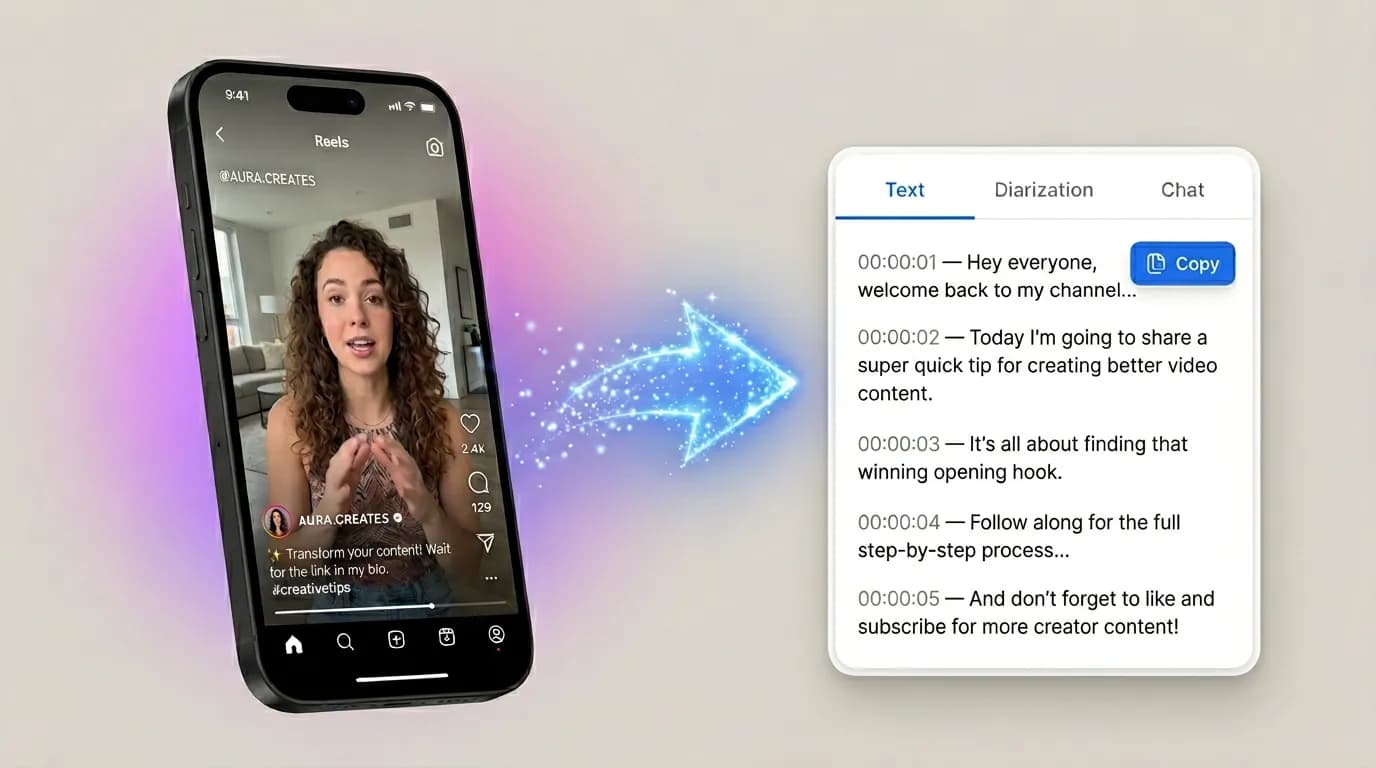
See what the output looks like
Example text shown for format only. Your transcript depends on the spoken words in the public Reel.
https://www.instagram.com/reel/example/
Paste a public post URL to preview the source and pull the text without a separate download step.
Choose the output that fits the workflow
Copy text
Copy the transcript directly into notes, documents, captions, briefs, or research files.
TXT
Export a plain text version of the Reel transcript for simple storage and sharing.
Document
Save the transcript as an editable document for review, cleanup, and team workflows.
Three quick steps, one clear outcome
Start with the source, generate the text, then keep the format that fits the next workflow.
Add the public Reel
Paste the link to a public Instagram Reel you want to transcribe.
Extract the spoken words
VideoToTextAI processes the Reel and turns the audio into readable transcript text.
Copy, review, or export
Use the transcript for notes, captions, quotes, research, or a saved record of what was said.
Get the spoken words from a public Reel
Each section explains a concrete use case so the page stays practical from top to bottom.
Instagram Reels move quickly. A strong idea, quote, explanation, or call to action can be easy to miss when it is only available inside the video.
VideoToTextAI gives you a readable reel transcript so you can work with the spoken words directly. Paste a public Reel link and get the transcript back in a clean format you can read, copy, and save.
Transcribe spoken words from public Instagram Reels
Review the content without replaying the Reel repeatedly
Keep a readable record of what was said
Make Reels easier to review and reuse
Each section explains a concrete use case so the page stays practical from top to bottom.
A transcript makes Reel content easier to understand, compare, and reuse. Instead of relying on memory, you can see the exact language on the page and decide what to do with it next.
Creators can review their own spoken content. Marketers and social media teams can collect talking points, quotes, and messaging from public Reels without turning the transcript into something more complicated than it needs to be.
Review ideas and wording from your own Reels
Pull quotes, claims, phrases, and talking points
Save useful Reel content for future reference
Useful for captions, notes, and research
Each section explains a concrete use case so the page stays practical from top to bottom.
When you have an instagram reels transcript, it becomes easier to prepare captions, build notes, collect references, or check what was actually said in a short-form video.
Researchers, creators, and social media managers can use the transcript as a practical source text. The main output is simple: readable spoken text from the Reel, ready for the next step in your workflow.
Prepare caption drafts from spoken content
Capture notes from public Reel examples
Turn spoken content into text you can search and review
A simple transcript workflow for Reels
Each section explains a concrete use case so the page stays practical from top to bottom.
The best instagram reel transcript generator should make the transcript easy to get and easy to use. VideoToTextAI keeps the process focused: add the public Reel, generate the transcript, then copy or export the text.
Whether you need a transcript of instagram reel content for quick review or a repeatable workflow for saving public Reel transcripts, the result is built to be practical, readable, and ready to move into your existing tools.
Paste a public Instagram Reel link
Copy transcript text into your workspace
Export the transcript for storage, sharing, or review
Frequently Asked Questions
Related pages in this cluster
Use the hub, sibling pages, export page, or guide link that best matches the next query or next workflow step.
Instagram to Transcript
Return to the main Instagram transcript hub for the broader link-and-export workflow.
MP4 to VTT
Turn the same Reel into VTT captions after transcription.
Three nearby intent pages
Instagram Script Extractor
Move to the script extractor when you want creator wording, not just the transcript.
Instagram Transcript From Link
Use the link-first page for queries that explicitly mention pasting a Reel link.
Instagram Transcript Hub
Open the hub page for exports, FAQs, and related Instagram transcript pages.
How to transcribe video with ChatGPT
Use this guide when you need the transcript first and want ChatGPT for the second step.